
Keyword Monitor
Prowlo tracks keywords two ways: Keyword Monitor searches all of Reddit for your queries, and keyword tagging rules mark matching posts inside the communities you already watch.
Keyword Monitor — search all of Reddit
Each keyword holds one search query and runs it against all of Reddit — not just the communities you watch — plus everything already in Prowlo's crawl corpus. Open Keyword Monitor in the dashboard sidebar and click New keyword to add one.
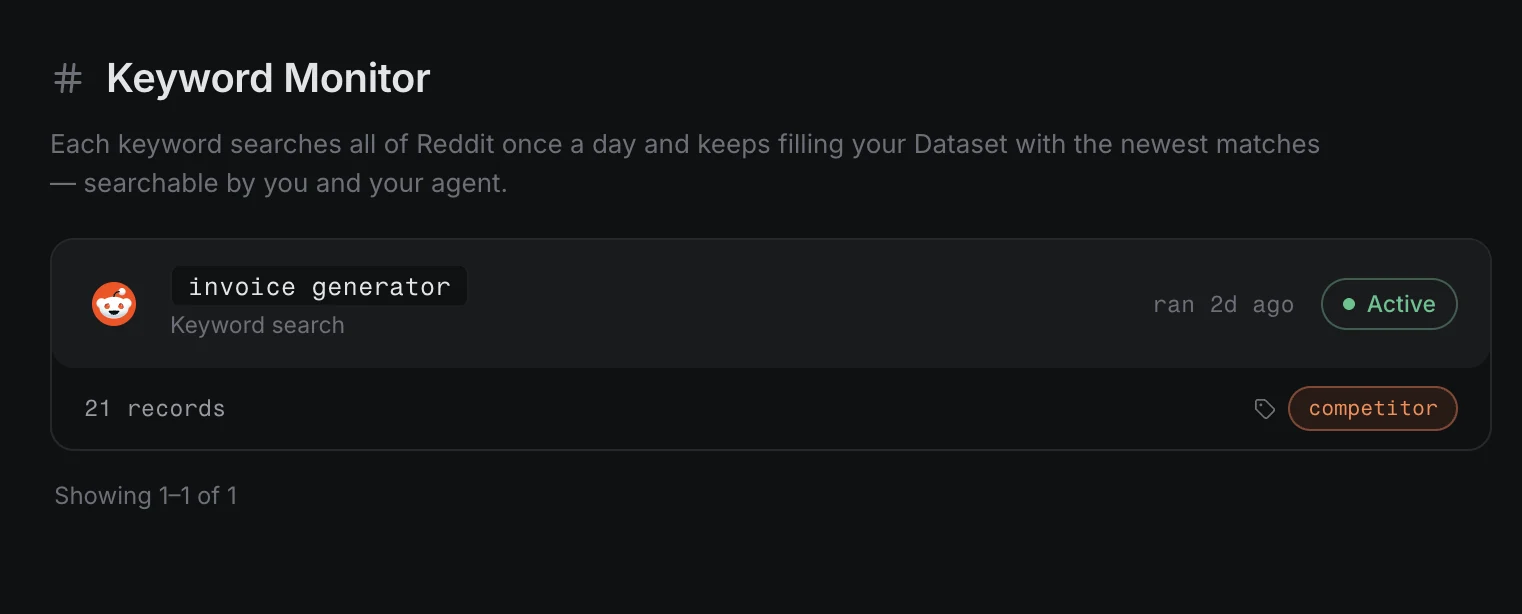
- First results in minutes — the first crawl is queued when you create it
- Checked about daily — each keyword is re-searched roughly once a day
- Up to 25 new matches per day per keyword are kept
- Per-keyword tags — attach tags (e.g.
competitor) and every find is labeled with them automatically - Matches are embedded into your Dataset — searchable by meaning, taggable, and alertable like any other record
Quota
The free trial includes 3 keywords; the paid plan includes 20. The quota is separate from community Watchers (5 trial / 25 paid) — keywords never consume Watcher slots, and vice versa. Hitting the cap returns PLAN_LIMIT_EXCEEDED. The Usage panel on the Keyword Monitor page shows your keyword count, records ingested, and tagged records at a glance.
Query syntax
A keyword's query supports three matching styles:
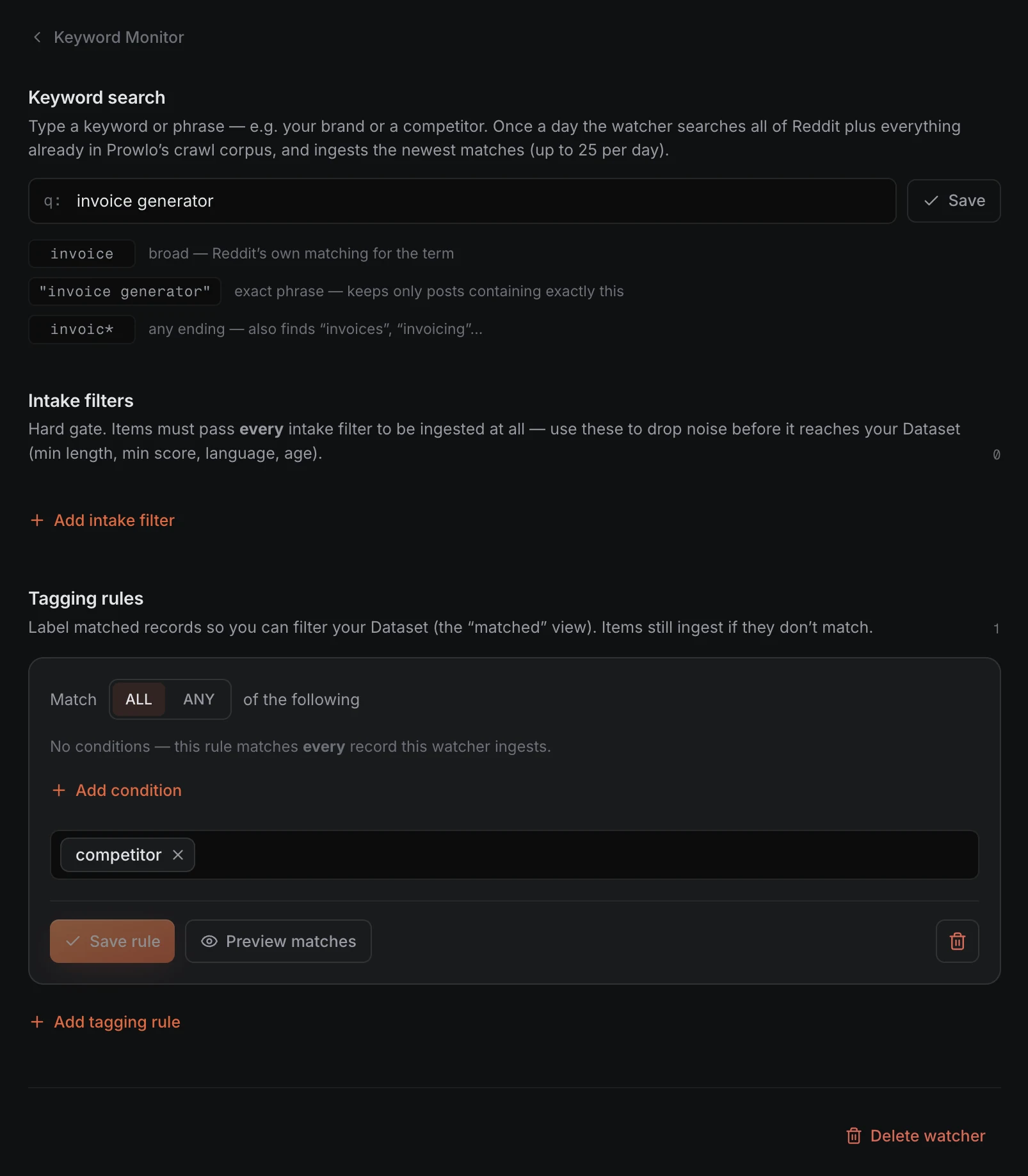
invoice— broad: Reddit's own matching for the term"invoice generator"— exact phrase: keeps only posts containing exactly thisinvoic*— any ending: also finds "invoices", "invoicing"…
Intake filters and tags per keyword
Each keyword can carry its own intake filters and tagging rules. Intake filters are a hard gate — items must pass every filter (minimum length, minimum score, language, post age) to be ingested at all, so noise is dropped before it reaches your Dataset. Tagging rules label matched records (with ALL/ANY conditions and a Preview matches button) so you can filter your Dataset to them — items that don't match a tag still ingest.
Tagging rules — track terms inside watched communities
Keyword tagging rules ride along on community Watchers. As a Watcher ingests its channel, every post is checked against your terms in real time; matches are kept and tagged, and adding a new rule backfills matches from the last 7 days of ingested posts. Matching is stemming-aware — "deploy" also catches "deploying", "deployed", and "deployment". Tagging rules are uncapped on every plan.
Which one should I use?
- Keyword Monitor — when you don't know where the conversations happen: brand names, competitor names, niche category phrases. Broad coverage, daily cadence.
- Tagging rule — when you already watch the right communities and want matches labeled within them: pain-point phrases, feature terms. Deep coverage, real-time during ingestion.
- Both together — a keyword finds which communities talk about you; community Watchers then go deep on the best ones with tagging rules.
From your agent (MCP)
Under the hood each keyword is a Watcher holding one reddit_search source, so your agent creates one with watcher_create, using the query as the channel:
watcher_create {
  "sources": [
    { "subreddit": "CRM alternative", "platform": "reddit_search" }
  ]
}
Tagging rules use the keyword_* tools (keyword_list, keyword_create, keyword_update, keyword_delete). Or just ask: "Track 'CRM alternative' across all of Reddit" or "Add a tag for 'onboarding frustration'".
Working with the matches
- Search — matches live in your Dataset; query them by keyword or by meaning (see POST /v1/search)
- Alerts — fire a Slack message or webhook when a new match lands (see Alerts & Trends)
- Trends — chart how often a term appears over time